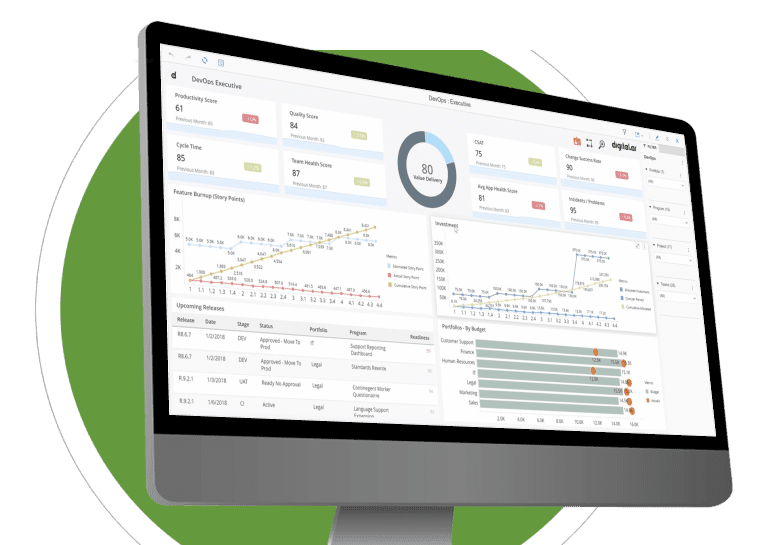


Digital.ai Release offers a pair of cloud-native Secret Management plugins, one dedicated to seamless integration with Azure KeyVault and the other with AWS Secrets Manager. These they help in retrieving secrets from AWS SecretsManager and Azure Keyvaults for use in tasks and orchestrations.

Digital.ai Deploy offers a pair of cloud-native Secret Management plugins, one dedicated to seamless integration with Azure KeyVault and the other with AWS Secrets Manager. These plugins empower users to efficiently replace dictionary variable values and enhance variable lookup functionality.

This Integration serves as a vital link connecting Digital.ai Release, a robust release orchestration solution, with the Ansible Automation Controller, also known as Ansible Tower. It empowers users to seamlessly integrate Ansible Automation Controller tasks and playbooks directly into their release pipelines, enabling the streamlined coordination of infrastructure provisioning, configuration management, and application deployments.

Digital.ai Release (OPA based Integration) with Digital.ai Application Security product helps protect mobile apps from threats with the proper security measures and validate it before it is too late during with release automation process.

Digital.ai Release integration with GitHub Actions has been enhanced with the addition of two new tasks to Github "Trigger Workflow Run" and "Enable/Disable Workflow". With these new features, users can automate GitHub Action workflows as part of their Release templates, streamlining and simplifying the release process

The xlr-bamboo-integration for Digital.ai Release allows integration with Atlassian Bamboo for continuous integration and deployment, enabling automated builds and releases together in a single workflow.

Created a new integration for JFrog which has triggers to listen on a "Published Artifact" or a "Published Image" and start a Release workflow. This can be used to achieve continuous deployment by automation of publishing artifacts and images as part of Release templates.


Our comprehensive Container Orchestration Integrations enable organizations to automate and manage containerized application tasks.
The latest updates include enhancements to the Deploy Podman integration, which allows you to deploy Podman images to create containers. Additionally, you can connect networks and volumes to these containers using the podman integration and auto-discovery of master and namespace in the Kubernetes plugin for both Deploy and Release. also enhanced ArgoRollouts Integration, which provides advanced deployment capabilities such as blue-green, canary, and progressive delivery features to Kubernetes.


Extend our products with an array of ready to use integrations with leading Cloud Platforms.
Latest updates include enhancements to K8s on Cloud platforms integrations like Token based Authentication for Google Cloud Kubernetes, and authorization of k8s cluster on AWS EKS and Azure AKS using service accounts.

Jira: Agility is a tool that helps teams set their strategy and link it to their planned work. Jira or other tracking tools that helps you track projects and get work done. They pair perfectly.
By integrating Agility and Jira or other tracking tools via Agility Connect, you can link your work to your strategic vision, share context with development teams, and track your progress via roadmaps and reports.

Azure (TFS): Integrating Azure DevOps with Agility tool in the value stream makes it easier for business and product development teams to coordinate with each other, accelerating delivery cycles and efficiently scaling agile practices. All strategic requirements from the Agility tool automatically synchronize to Azure DevOps and all the artifacts & work items associated with the strategic requirement synchronize back to the Agility tool.

ServiceNow: Teams waste tremendous amounts of time "swivel-chairing" between systems, trying to keep records up-to-date in two places and sending emails and chat messages to follow up on details and statuses. And since records in different tools are maintained manually, they're more prone to error.
But that can all be solved through integration, which is why connecting ServiceNow and the developers' Agile planning tools is by far the most popular integration use case Agility Connect sees.